


What Is Email Infrastructure?
Email Infrastructure lets you:
Purchase ready-to-use Google or Microsoft mailboxes
Automatically configure all required DNS records (SPF, DKIM, DMARC, MX)
Connect mailboxes to MailOptimal with one click
Start email warm-up or outreach immediately
No technical setup required.
How to Get Started
Before creating mailboxes, you need to purchase mailbox slots. Mailbox slots determine how many email accounts you can create.
💡 Each mailbox slot allows you to create one email account.
A minimum of 5 mailbox slots is required to get started.
Step-by-Step: Purchasing and Creating Mailboxes
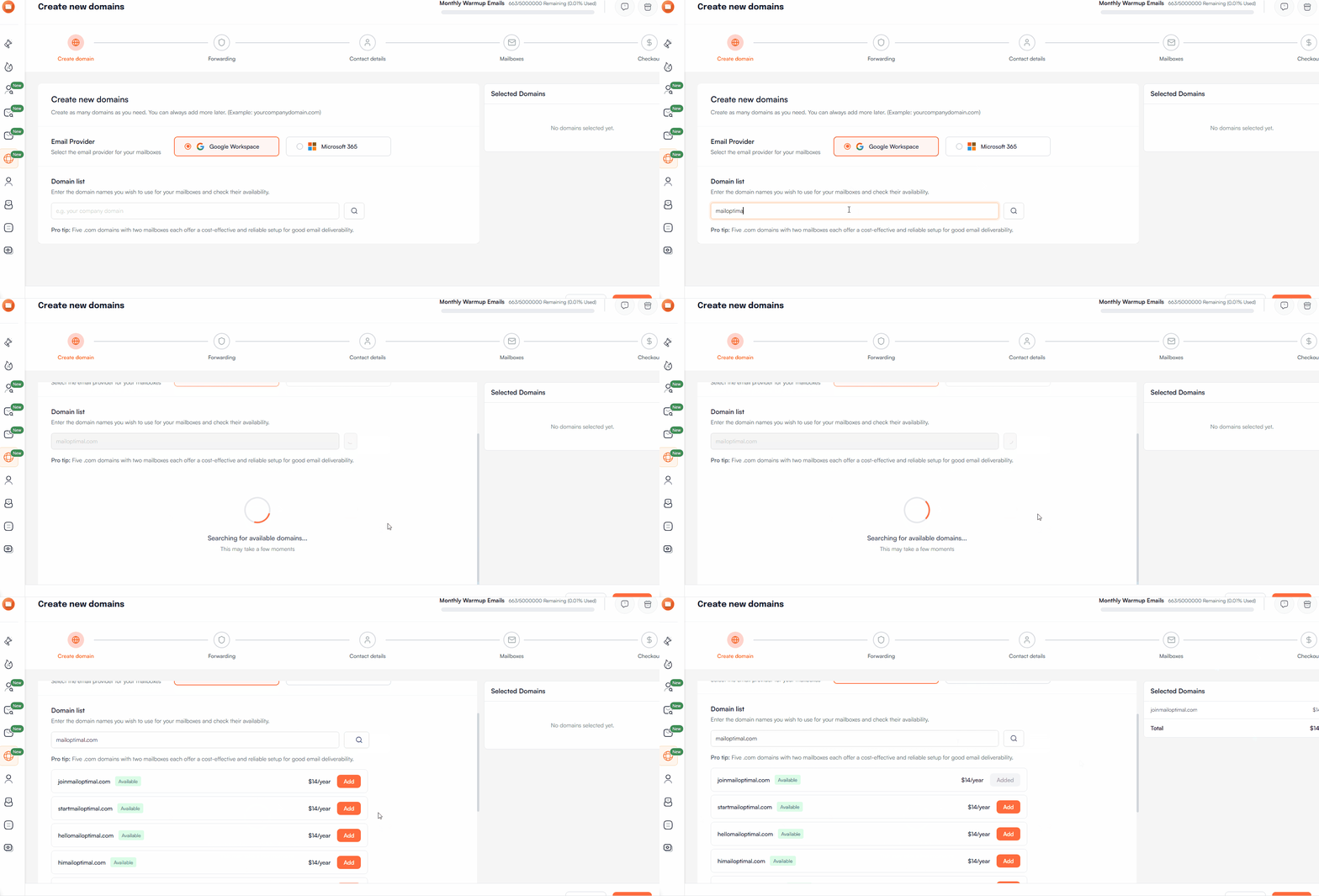
Step 1: Search for a Domain
Enter your desired domain name to check availability.
Step 2: Select Email Service Provider (ESP)
Choose the email provider you want to use:
Google
Microsoft
Step 3: Choose an Available Domain
You’ll see a list of available domains based on your search.
Select one or more domains to proceed
Domain pricing is shown upfront
Step 4: Set Up Domain Forwarding
To use the domain, you’ll be asked to configure domain forwarding so visitors are redirected to a domain of your choice (for example, your main website).
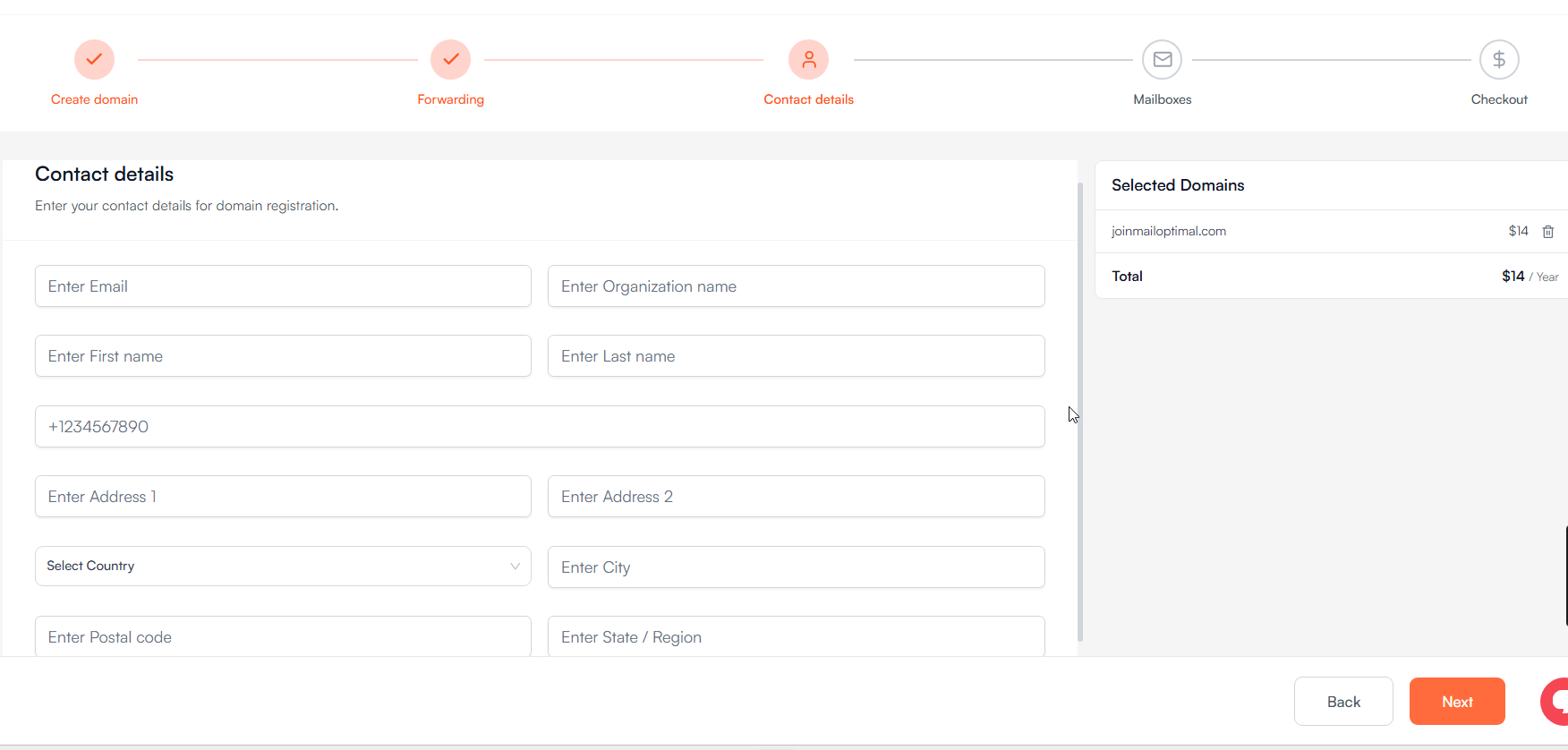
Step 5: Enter Contact Details
Provide required contact information for domain registration.
Step 6: Configure Mailbox Details
Now, define details for your email accounts:
Username (e.g.,
john@yourdomain.com)Profile name
Profile picture
Email signature
📌 You can create up to 5 mailboxes per domain.
Step 7: Review & Complete Payment
Once mailbox creation is complete:
Review your order
Complete payment for:
Mailbox slots
Domain purchase (if applicable)
Step 8: Automatic Mailbox Setup
After payment:
MailOptimal starts configuring your mailboxes automatically
Required DNS records are set up:
SPF
DKIM
DMARC
MX
No manual DNS work is needed.
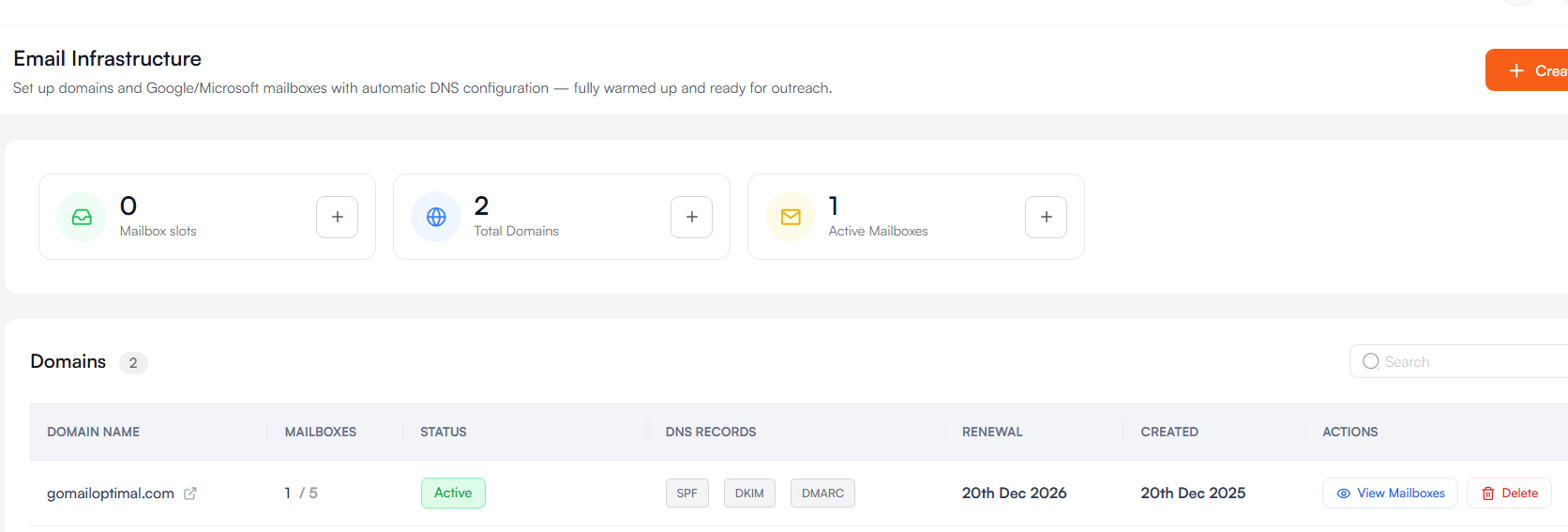
Step 9: One-Click Connection to MailOptimal
Once setup is complete:
All mailboxes can be connected to MailOptimal with one click
You can immediately:
Start email warm-up
Use them for email outreach campaigns
Pricing Details
Mailbox Pricing
$4 per mailbox / month
Minimum purchase: 5 mailbox slots
Billed monthly
Domain Pricing
Most domains cost $14/year
Some domains may cost more or less depending on availability
Slot Flexibility
You can delete an existing mailbox and create a new one as long as you have available slots
Slots are reusable within your subscription
Bringing Your Own Domain
If you already own a domain and want to use it with MailOptimal’s Email Infrastructure:
Please contact our support team
We’ll help you onboard your existing domain and configure everything correctly
📩 Contact Support via in-app chat or email.
Frequently Asked Questions
Do I need to manage DNS records myself?
No. MailOptimal automatically configures all required DNS records for you.
Can I use these mailboxes outside MailOptimal?
Yes. The mailboxes are standard Google/Microsoft accounts and can be used with other tools if needed.
How long does mailbox setup take?
Mailbox setup typically starts immediately after payment and is completed automatically. You’ll see status updates inside your dashboard.
Can I upgrade or add more mailbox slots later?
Yes. You can purchase additional mailbox slots anytime from your account.
Need Help?
If you have questions or need assistance during setup, reach out to us via in-app chat or email. We’re happy to help you get started.