


What is Email Verifier in MailOptimal?
Email Verifier is a simple tool inside MailOptimal that checks your email list before you use it. It quickly tells you which emails are:
- Valid & safe to send to
- Risky (might bounce)
- Invalid (fake, wrong, or don’t exist)
Using it keeps your list clean and helps your emails reach real inboxes.
Simple Steps: How to Use Email Verifier in MailOptimal
Navigate to your MailOptimal's Dashboard
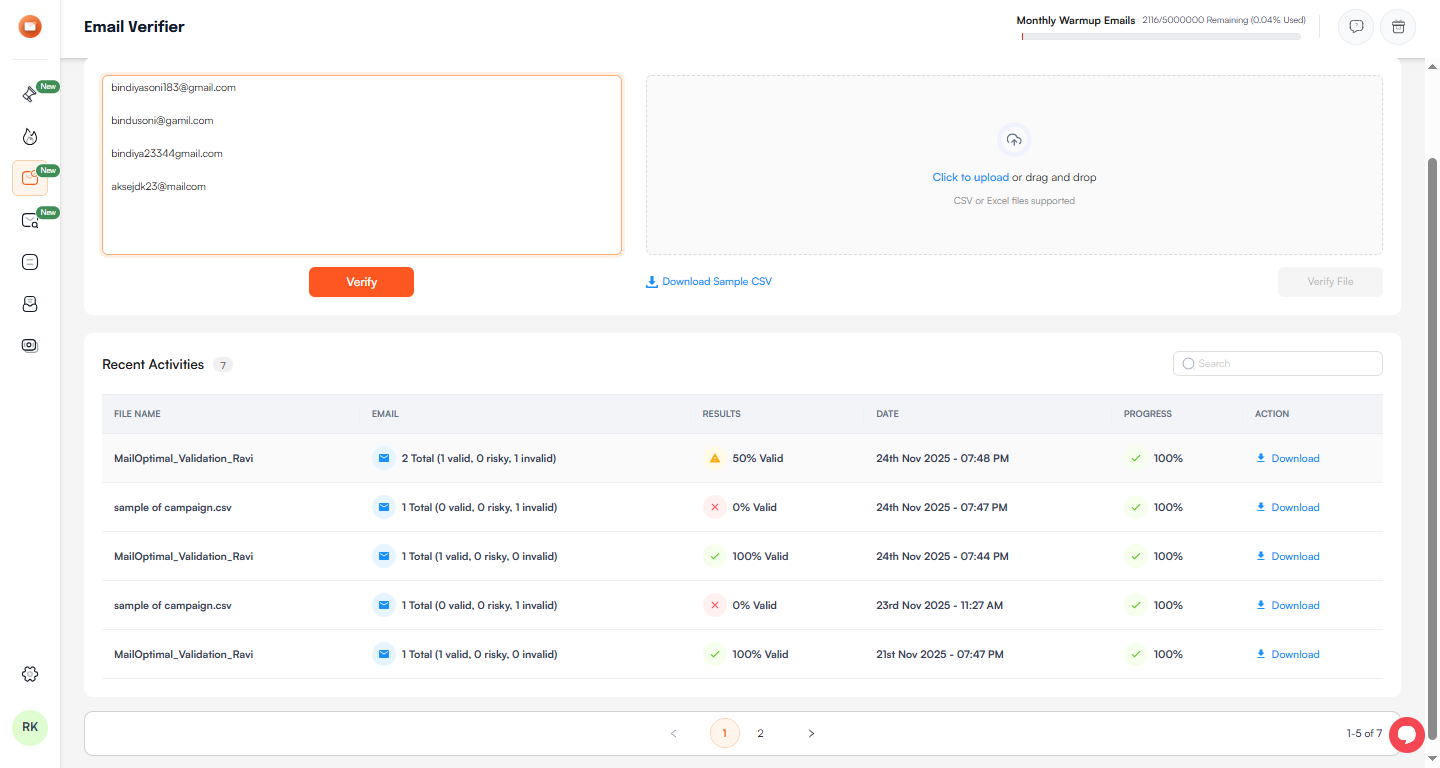
- On the left side menu, click "Email Verifier" (orange icon, 3rd option)
- Add emails in one of two easy ways:
- Type or paste emails in the big box (you can separate them with commas, spaces, or new lines) OR
- Drag and drop your CSV or Excel file (or click to upload)
- If you upload a file, map the email column (just choose “Email” from the dropdown – very quick)
- Click the red button Verify File
- Wait a few seconds or minutes (you’ll see the progress)
- When it’s done, go to Recent Activities (bottom of the page)
- Click the file name you just checked → you’ll see full results
- Click Download CSV or Download JSON to get your list (Include all types are results are categorized there)
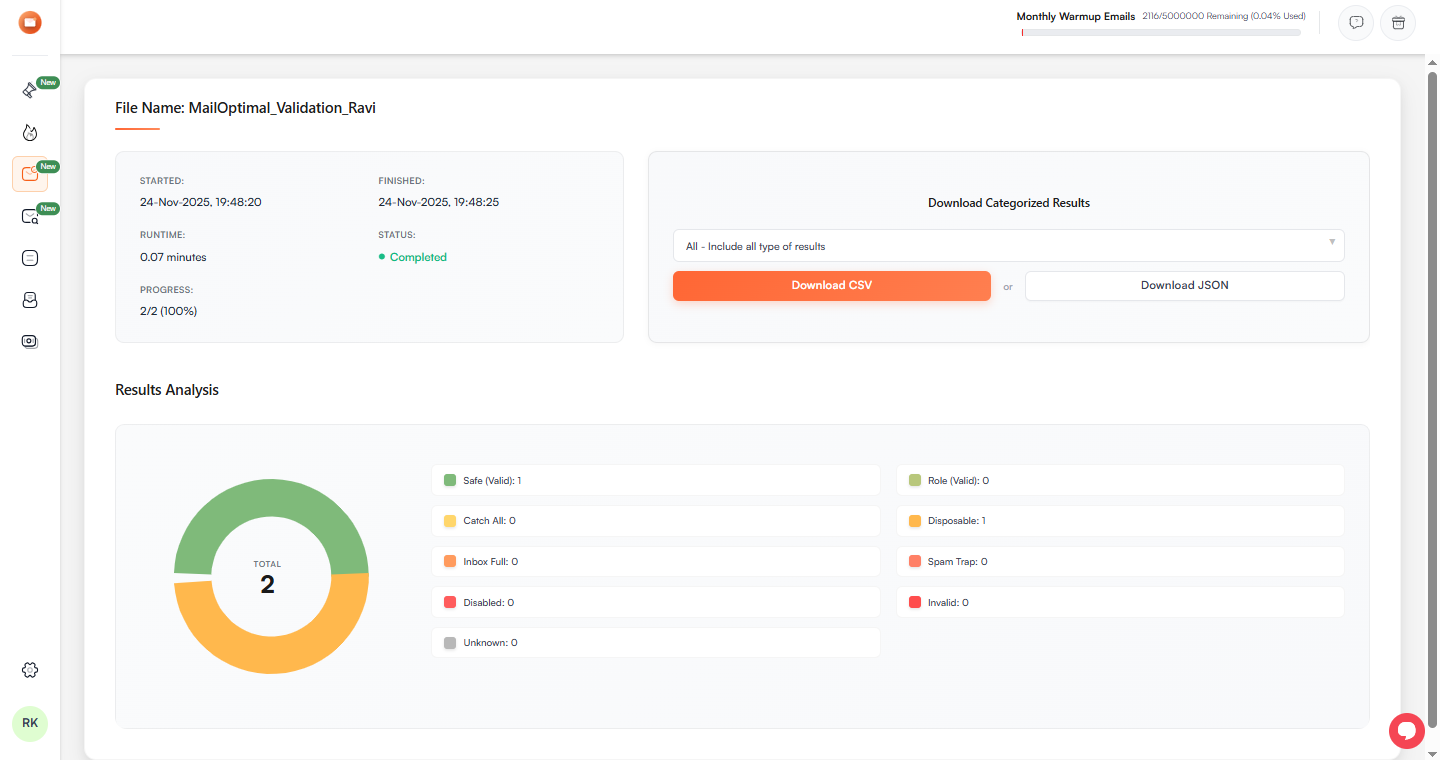
That’s all!