


When you verify email addresses using MailOptimal Email Verifier, the tool checks each email in real-time and returns a detailed verification status. Once the verification is complete, you’ll see a clear pie chart along with a full report. The pie chart is a fun and easy way to instantly visualize your results — it’s a circle divided into colored slices, where each color represents a specific verification status.
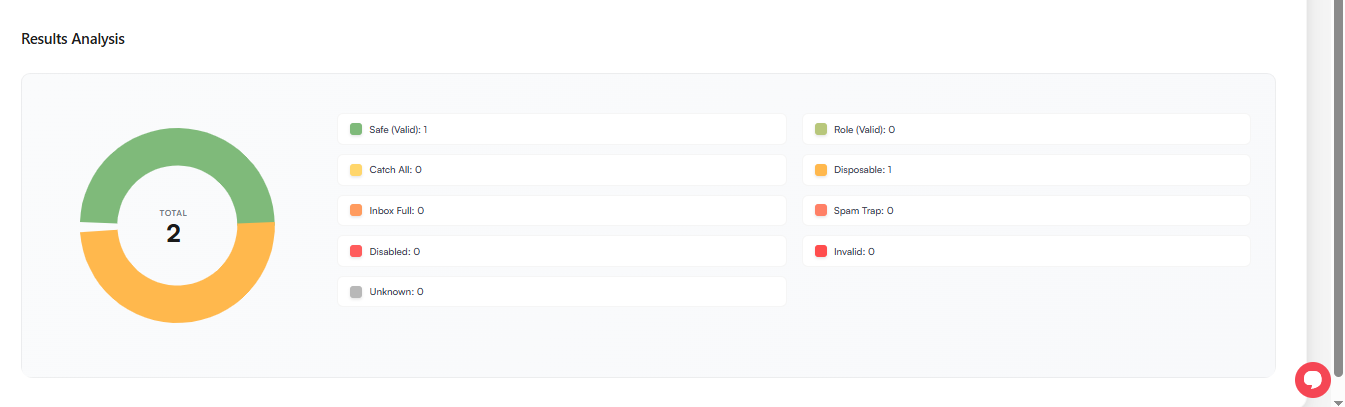
Status meanings below – one pie chart tells you exactly what to keep, what to delete, and how to send with maximum profit.
Safe: It's pretty much self-explanatory. Everything is good about that email address, and most likely this is a personal email address. However, you should also check the overall_score parameter for additional safety.
Role: Role addresses are also valid and safe. The only difference is it is a company role-related email address (not a personal one). For example, support@mailoptimal.com (it belongs to the support team, not an individual person).
Catch-All: Catch-all emails are not invalid. Catch-all means that the email server accepts emails at any address (even if the individual address does not exist) and most likely redirects them to a specific address that an admin can read. So, if you send emails to these addresses, your email will not bounce even if that individual address does not exist. However, you may receive soft-bounces from them, which are basically a reply email. More details regarding the catch-all email can be found here.
Disposable: It is a temporary email address. A lot of companies offer temporary email addresses, which are generally valid for about one hour. Sometimes people use these addresses to verify something and after that they never check the email again (also, they will not be able to).
Inbox Full: The inbox of that user is full and can no longer receive new emails. However, if he deletes some old emails or increases storage, he can start receiving emails again.
Spam Trap: A Spam Trap is an email address specifically created or repurposed to catch spammers. These addresses do not belong to real users and are often placed on websites or mailing lists to identify senders who collect emails without permission. Sending emails to spamtraps can harm your sender reputation and deliverability, as email providers may flag you as a spammer.
Disabled: Similar to invalid. But that account was good before but the provider disabled that. For example, Gmail blocked an account of someone.
Invalid: It means that the email address is not available/registered. Your email will bounce back.
Unknown: We couldn't verify the status of that individual address (although the server is configured for receiving emails). Your credits are automatically refunded for such results.